Baptist Health MyHealth
- 4.6
- Rating
- 100.00K
- Installs
- Free
- Price

 Analysis by App-foxy
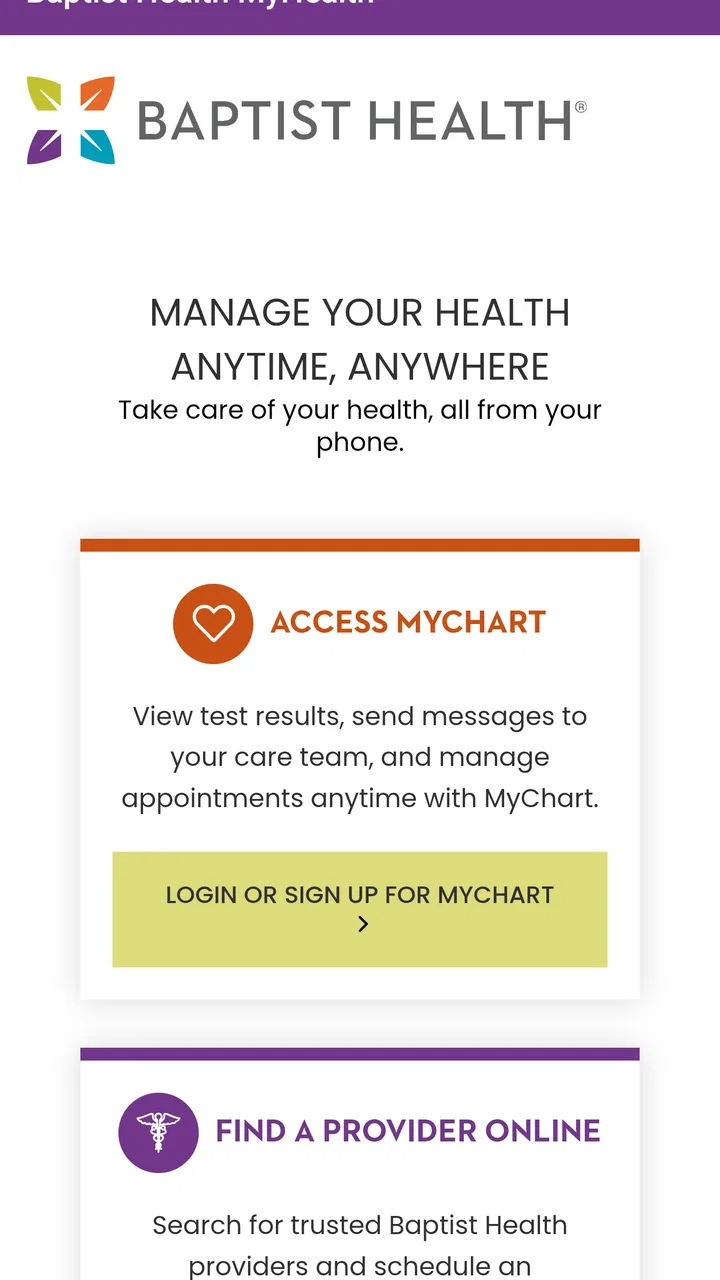
Managing healthcare from a phone can be genuinely useful, but it also demands more trust than an ordinary appointment-booking app. Baptist Health MyHealth is a free medical app from Baptist Health IT that brings MyChart access, provider searches, and related online healthcare tasks into one mobile place. I found its value less in flashy presentation and more in reducing the number of small administrative jobs that normally push me toward a browser, a phone call, or a paper reminder.
The important distinction is that this is not a general wellness tracker or an emergency-care substitute. It is designed around an existing healthcare relationship and the online services connected to it. That makes it especially relevant if you already use Baptist Health services and want a more convenient way to handle routine digital healthcare tasks. If you are looking for symptom diagnosis, medication coaching, or a broad health dashboard independent of a provider network, this is probably not the right category of app.
What using the app feels like in everyday healthcare
My first impression is that the app works best as a central doorway rather than as a destination for long sessions. I open it when I need to move from “I should deal with that later” to a concrete healthcare action: checking the MyChart area, looking for a provider, or handling an online task without searching through several unrelated pages.
You May Also Like

 Blood Strike: 2.5 Anniversary
Blood Strike’s Loadouts Turn Every Drop Into a Tactical Gamble
A close look at Blood Strike’s custom loadouts: how fast access to signature weapons reshapes its battle royale rhythm, rewards preparation, and narrows the gap between fights.

 Pandora - Music & Podcasts
Pandora’s Music Is Easy to Start, but Harder to Recover
Pandora’s strength is its low-effort path from a seed to a station. Its weak spot is how much confidence it asks you to place in connection, setup, and quiet recovery.

 8 Ball Pool
 Is Built on Rivalries, Rematches, and Routine
A close look at the rivalries, rematches, shared routines, and unanswered safety questions that turn a quick pool match into a persistent mobile community.

 Samsung Music
’s Quiet Strength Is Playing What You Already Own
Its reach comes less from spectacle than from dependable access to a personal library. That simplicity is both the app’s strongest retention engine and its ceiling.

 AccuWeather: Weather Radar
AccuWeather Review: A Quick, Clear Forecast for Everyday Decisions
For everyday plans, the best forecast is the one you can understand quickly. AccuWeather makes rain timing, radar, and local conditions easy to act on, with a few trade-offs.

 Hill Climb Racing
Why Hill Climb Racing Still Turns Crashes Into One More Run
A tiny car, a bumpy hill and one more upgrade: Hill Climb Racing keeps resurfacing because its simple chaos makes every near-miss feel personal.
More From Our News Desk



A realistic example is preparing for a routine visit. Instead of looking up the clinic separately, finding the provider again, and then switching to another service for the patient-portal portion, I can begin in the same app. That does not remove every step involved in healthcare administration, but it makes the starting point obvious. For people who regularly forget where appointment information or provider details are located, that single entry point can be more valuable than a long list of extra features.
The app is listed in the Medical category, which fits its purpose better than labels such as fitness, lifestyle, or productivity. It is also rated for Everyone, so its presentation is intended for a broad audience rather than a specialist clinical workforce. In practice, though, the usefulness depends more on whether your care is connected to Baptist Health than on your technical experience.
That network connection is the first trade-off to understand. A patient who already interacts with Baptist Health may see this as a practical companion to care. Someone outside that system may find the provider-focused functions much less relevant. A general health app can be more suitable if your main goal is tracking exercise, recording symptoms across different clinics, or keeping independent health notes.
Trust starts with the app’s role, not its promises
Healthcare apps handle a more sensitive kind of information than most everyday utilities. I therefore judge this one by whether its role is clear and whether it gives me a sensible route to the services I actually need. Baptist Health IT is identified as the developer, and the app’s purpose is presented around managing healthcare online, accessing MyChart, and finding providers. That focused scope is reassuring in one limited sense: I am not being asked to treat it as a universal medical authority.
At the same time, a patient portal requires careful habits. I would not use any portal app casually on a shared phone, and I would avoid leaving an active session open where another person could see it. Those are not criticisms unique to this product; they are part of using any healthcare account on a mobile device. The app can make access easier, but convenience also means the phone becomes a more immediate gateway to personal medical information.
The public response is encouraging without being a reason to lower my guard. Baptist Health MyHealth has an average rating of 4.6 from around 2.3 thousand ratings, and it has passed the 100 thousand install mark. Those figures suggest that many people find it useful, but they do not tell me whether it will fit my particular clinic, account setup, or expectations. A high rating cannot replace checking the sign-in experience and the controls available to me.
I also like that the app has a clear version identity rather than feeling abandoned. The current version is 11.8.3, and the app was released on May 21, 2021. For me, that history matters mainly as context: this is an established patient-facing app rather than something that appeared yesterday. Still, an established app can have occasional changes in navigation, so I would not assume that a workflow will remain identical after every update.
Account access deserves deliberate attention
The most sensitive moment is usually not browsing provider information; it is entering or reopening the patient portal. My advice is to treat the first sign-in as a setup task, not something to rush through while distracted. I would confirm that I am using the intended Baptist Health account, review what appears on screen, and make sure I understand how to leave the account before handing my phone to someone else.
One useful habit is to separate convenience from urgency. I might use the app to organize a routine question for a clinician, but I would not assume that sending a message through a portal is the same as contacting emergency services. A portal is appropriate for ordinary communication and account-based healthcare tasks; an urgent or life-threatening situation calls for the appropriate emergency route instead of waiting for an app workflow.
I would also keep the app’s operating-system requirement in mind. It requires iOS or Android version 11 or later, so an older phone may need an operating-system update before installation. That is a practical limitation rather than a medical one, but it can matter for a family member using an aging device. Before recommending the app to someone else, I would check the phone first rather than assuming every handset can run it.
The free price removes one barrier to trying it, which is welcome for a healthcare utility. Free does not mean every interaction will be effortless, however. The value still depends on having the correct relationship with the provider system and on being comfortable managing a health account from a phone. I would not choose it solely because it costs nothing.
Where user control matters most
For a sensitive app, I look for visible choices rather than relying on vague reassurance. When I use a patient portal, I want to know when I am viewing account information, when I am moving into a provider-search function, and when I am about to submit something. Clear separation between these moments helps me avoid sending a message or entering information in the wrong place.
My practical approach is to pause before confirming any healthcare action. I check the selected provider, the wording of a message, and the account context. This may sound obvious, but a mobile screen encourages quick taps, especially when I am standing in a waiting room or trying to complete a task between errands. The app’s convenience is strongest when it supports careful decisions rather than encouraging rushed ones.
I would also review the phone’s own access settings and notification behavior. Notifications can be useful reminders, but healthcare-related text appearing on a lock screen may reveal more than I want nearby people to see. I prefer to choose a notification style that gives me enough information to act without displaying unnecessary medical detail in public. That is a user-side control, but it is an important part of trusting any mobile health service.
Another sensible workflow is to use the provider search before an appointment rather than during a time-sensitive call. I can verify that I have found the right clinician or location, save myself from repeating a search, and then use the MyChart side when I am ready. Separating discovery from account activity reduces the chance of mixing up two similar names or choosing the wrong care destination.
Comparing it with the usual alternatives
The closest alternative is often a mobile browser. A browser can reach healthcare websites without taking up app space, and it may be preferable if I use several unrelated health systems. However, a dedicated app usually gives me a more direct starting point for Baptist Health tasks. I do not have to remember which page leads to MyChart or which search result is official every time I need access.
Another alternative is calling the provider’s office. A phone call remains better when the issue is complicated, urgent, or difficult to explain through a screen. It can also be the more efficient choice when an account problem prevents me from getting into the portal. The app is not a replacement for staff, and I would not waste time repeatedly tapping through it when the real problem requires a person to verify something.
General health-management apps offer a different kind of flexibility. They may be better for combining information from several providers, tracking personal habits, or maintaining records that are not tied to one healthcare organization. Baptist Health MyHealth is more focused. That focus is its strength for Baptist Health patients and its main weakness for everyone else.
I would also distinguish it from a symptom-checker. A symptom-checker tries to guide a user from symptoms toward possible next steps, while this app is centered on access to an established care network and its online tools. If my question is “What might this symptom mean?”, I would need an appropriate medical source or professional advice. If my question is “How do I reach my Baptist Health online healthcare services?”, this app is much closer to the problem I am trying to solve.
Small workflows that make it more useful
I get more from the app when I decide in advance what I want to accomplish. Before opening it, I might write down the provider I am looking for, the reason for the visit, or the question I want to communicate. This keeps the session focused and makes it easier to notice whether I am using the provider-search function or the MyChart area.
For recurring care, I would make the app part of a simple preparation routine rather than waiting until the appointment day. I can check the relevant provider information early, review what I need to ask, and leave enough time to switch to a phone call if the digital route does not answer my question. The non-obvious benefit here is not a hidden feature; it is using the app as a planning checkpoint instead of treating it as a last-minute rescue tool.
For a family member, I would be cautious about sharing a device or account. Helping someone navigate a provider search is different from taking over their patient-portal credentials. I would let the account holder remain in control and avoid storing access details where another person could casually see them. That approach preserves convenience without turning family assistance into accidental exposure of private health information.
When the app behaves differently after an update, I would first return to the basic purpose: identify whether I need MyChart access or provider information, then look for that function rather than assuming the old layout remains. Keeping that mental map is useful because healthcare apps can change menus while retaining the same core destinations. It also prevents me from clicking through unrelated areas simply because they are more visible on the current screen.
Who should use it, and who should skip it?
I would recommend Baptist Health MyHealth to a Baptist Health patient who wants a direct mobile route to MyChart and provider information. It is particularly sensible for someone who dislikes navigating healthcare websites, frequently needs provider details, or wants to begin routine online tasks without calling an office every time.
I would also consider it for a caregiver who helps another adult prepare for appointments, but only with clear permission and careful handling of account access. The app can simplify the logistical side of care, yet the caregiver should not assume that convenience grants access to another person’s medical information.
I would skip it if my healthcare is spread across unrelated systems and I need one neutral app to combine everything. I would also skip it as my primary tool if I expect diagnosis, emergency guidance, detailed independent health tracking, or a substitute for speaking with a clinician. Those expectations do not match the app’s focused patient-portal role.
People with phones that cannot meet the minimum operating-system requirement should check compatibility before planning around it. Likewise, anyone who is uncomfortable using a mobile device for sensitive account access may prefer a browser on a personal computer or direct contact with the provider. The best choice is the one that lets the person manage care accurately and privately, not necessarily the one with the most convenient icon.
My cautious verdict
My overall view is positive but deliberately practical. Baptist Health MyHealth is a focused medical app that can make Baptist Health’s online healthcare services easier to reach, especially when the alternative is repeatedly searching for the right portal or provider page. Its free availability, broad age rating, and strong user response make it easy to consider, while the established developer and clearly defined purpose give it a sensible place in a patient’s routine.
Its limitations are just as important. It is tied to the Baptist Health context, it should not be treated as emergency care or a diagnostic tool, and mobile access requires responsible handling of account information. I would keep notifications discreet, verify details before submitting anything, and switch to a phone call or professional help when the issue is urgent or too complicated for a portal.
The best reason to install it is not that it replaces healthcare communication; it is that it makes the ordinary administrative part of that communication easier to start. If that is the problem I face, I would recommend trying it. If I need a cross-provider health organizer or medical advice outside the Baptist Health portal, I would choose a different tool and keep this app in its proper, narrower role.
FAQs for Baptist Health MyHealth
01What is Baptist Health MyHealth used for?
Baptist Health MyHealth is a patient-focused mobile app designed to help users manage parts of their healthcare from a smartphone or tablet. Depending on the services available in their region, users may be able to view medical information, schedule or request appointments, review test results, communicate with care teams, manage prescriptions, access billing details, and receive health-related notifications in one place.
02How do I sign in to Baptist Health MyHealth?
To use the app, you generally need an active Baptist Health patient account and must sign in with the credentials connected to the organization’s online patient portal. New users may be able to register inside the app or through the Baptist Health website using personal information and an activation process. Some features may require identity verification, a supported email address, or two-step authentication.
03Can I schedule appointments and communicate with my doctor through the app?
Baptist Health MyHealth may allow eligible patients to request or schedule appointments, review upcoming visits, and receive reminders. The app can also provide secure messaging with participating providers or care teams, although availability varies by department, location, provider, and appointment type. It should not be considered a replacement for emergency care or immediate medical advice.
04Is my personal health information secure in Baptist Health MyHealth?
The app is intended to provide access to protected health information through a secure patient portal, using account authentication and other security measures. However, your privacy also depends on how you use your device. Keep the app updated, use a strong password or device passcode, avoid signing in on shared devices, and log out when appropriate. Always review the app’s current privacy policy.
05Is Baptist Health MyHealth free, and which devices support it?
Baptist Health MyHealth is generally available to download without an upfront app charge, but normal mobile data or internet costs may apply. Access to certain healthcare services depends on your relationship with Baptist Health and the facilities or providers involved. Before downloading, check the current Google Play or App Store listing for supported operating-system versions, regional availability, and any updated requirements.
Pros
- Secure access to appointments
- test results
- and medical records in one place.
- Prescription refill and medication information tools simplify routine healthcare tasks.
- Direct messaging can make communication with participating care teams more convenient.
- Health data is available across supported Baptist Health facilities and services.
- Digital check-in may reduce waiting time for eligible appointments and visits.
Cons
- Features and access depend on your Baptist Health location and participating providers.
- Some results or records may appear with delays after tests or clinical visits.
- The app is mainly useful to existing Baptist Health patients
- not general users.
- Login
- identity verification
- or account recovery can be inconvenient for some users.
- Certain actions may still require calling the office or using the provider’s website.

Baptist Health MyHealth
Gallery